The fastest way to scan printed photos, old albums, and family memories on your Mac — using your iPhone or a connected scanner. Batch scan multiple photos at once, automatically crop and correct perspective, repair damaged areas, and export directly to Apple Photos with full metadata, or save as files to any folder on your Mac.

macOS 14.6+ · Download for Free · All features included
Professional photo scanning tools for turning printed pictures, family albums, and analog photo collections into organized digital files.
Digitize several printed photos in a single capture. Perfect for scanning old albums, loose prints, and large family photo collections faster.
PhotoScanner detects photo edges, straightens tilted images, corrects perspective, and crops each scan for a clean digital result.
Create lightweight digital copies, high-quality archive files, or print-ready scans. Choose the output quality that fits your project.
Remove creases, scratches, tears, and damaged areas to restore old printed photos and preserve them in better quality.
Add or correct dates and locations for every scanned photo, so your family history stays organized, searchable, and easy to browse.
Export digitized photos directly to Apple Photos with dates and locations, or save them as files to any folder, external hard drive, or cloud storage on your Mac.
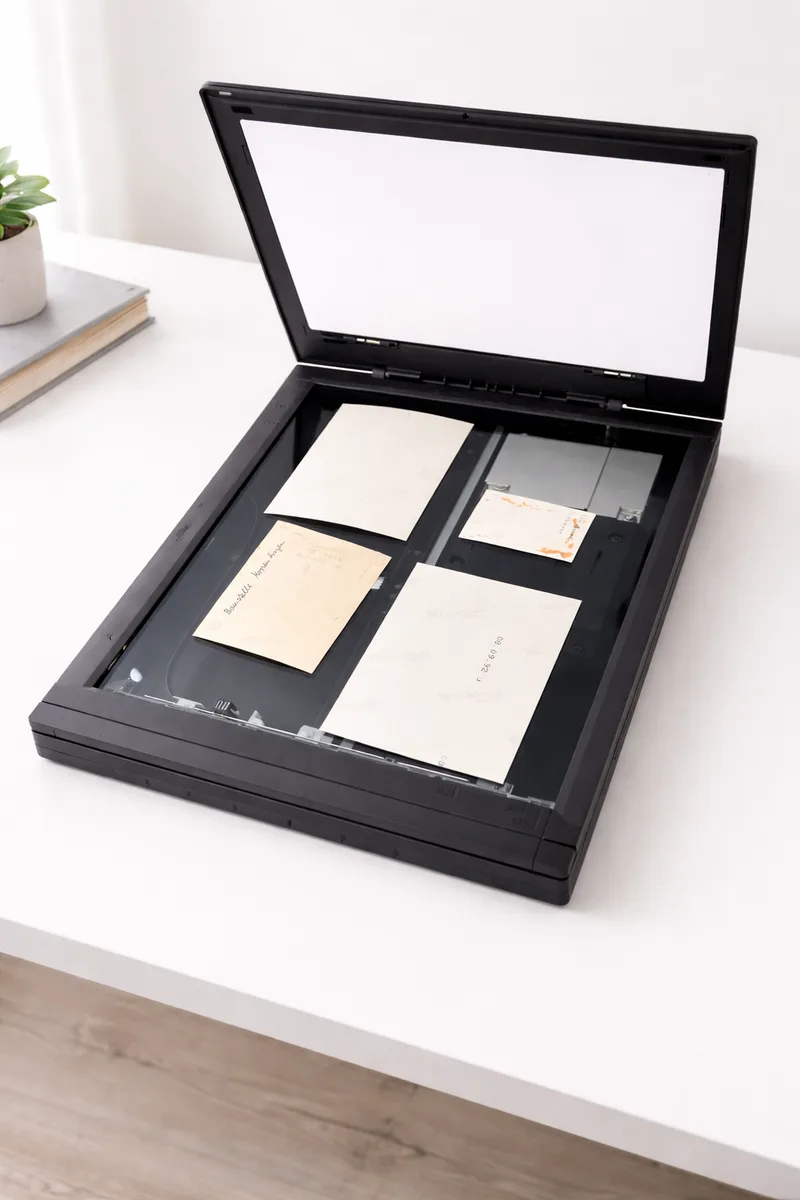
For the best possible quality, connect any Mac-compatible scanner, place your printed photos inside, and scan them directly into PhotoScanner. Your photos appear automatically, ready to crop, repair, organize, and export.
PhotoScanner uses the native macOS scanner drivers — Epson, Canon, Brother, HP, and more. If your Mac sees the scanner, PhotoScanner does too. No extra software to install.
Place prints on the glass however they land. PhotoScanner detects each photo, straightens it, and lets you rotate any of them later with a single click.
Fill the scanner bed with 4 to 6 prints at once. Each photo is detected, cropped, and saved as its own file — no manual cutting required.
Use the PhotoScanner iPhone app to turn your phone into a photo scanner. Capture printed photos with your iPhone and send them automatically to PhotoScanner on Mac, where you can enhance, organize, and export them to Apple Photos or save as files to any folder on your Mac.
Photos go straight from your iPhone to PhotoScanner on Mac over Wi-Fi. The connection stays local and stable — no cables, no cloud upload.
Photograph pages as they sit in a bound album. You don't have to peel prints out of the pages to capture them.
Pick the capture quality that fits the job — from a small SD file up to 4K — before the photo is sent to your Mac.
Download for iPhone 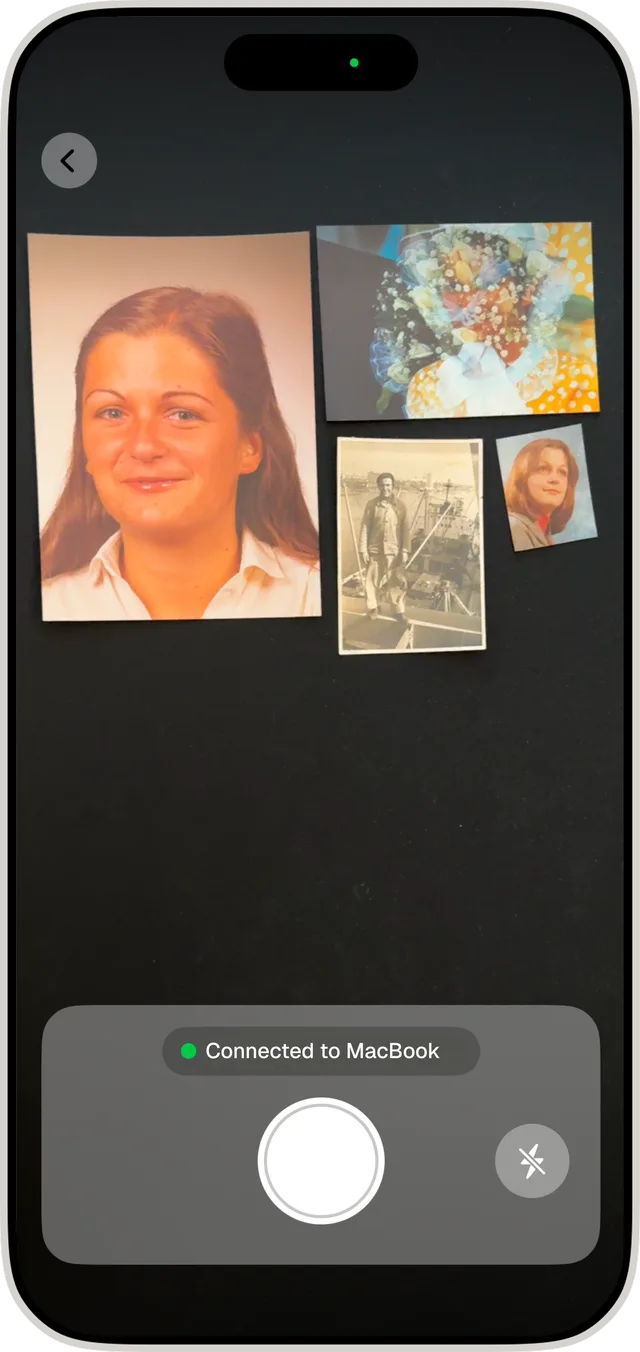
See how PhotoScanner finds every photo in a scan on its own — and how you can take over the crop by hand whenever you want.
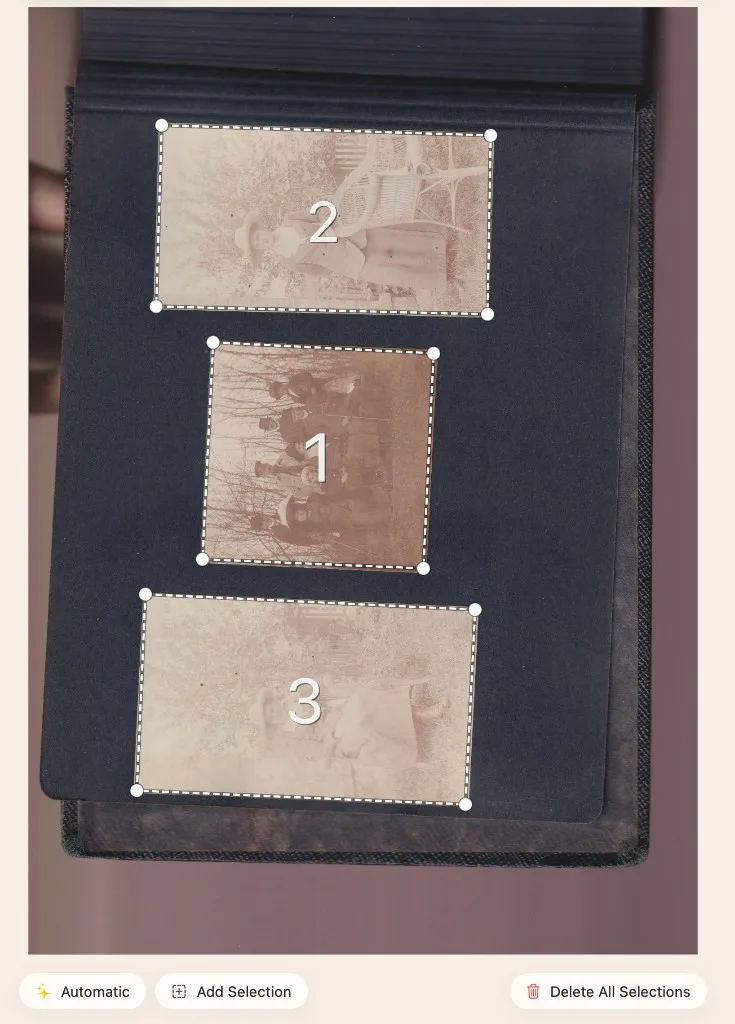
Scan several prints at once and PhotoScanner picks out each one for you. Edges are detected, tilted photos are straightened, and every picture is cropped into its own clean file — no marking, no manual cutting.
PhotoScanner already includes a built-in editor for everyday corrections — free with every purchase. Now we're adding AI photo restoration with specialized models: repair scratches and damage, restore faded colors, enhance sharpness, or let the AI improve everything at once. The right model for the right photo. Pay per photo, only when you need it — no subscription.

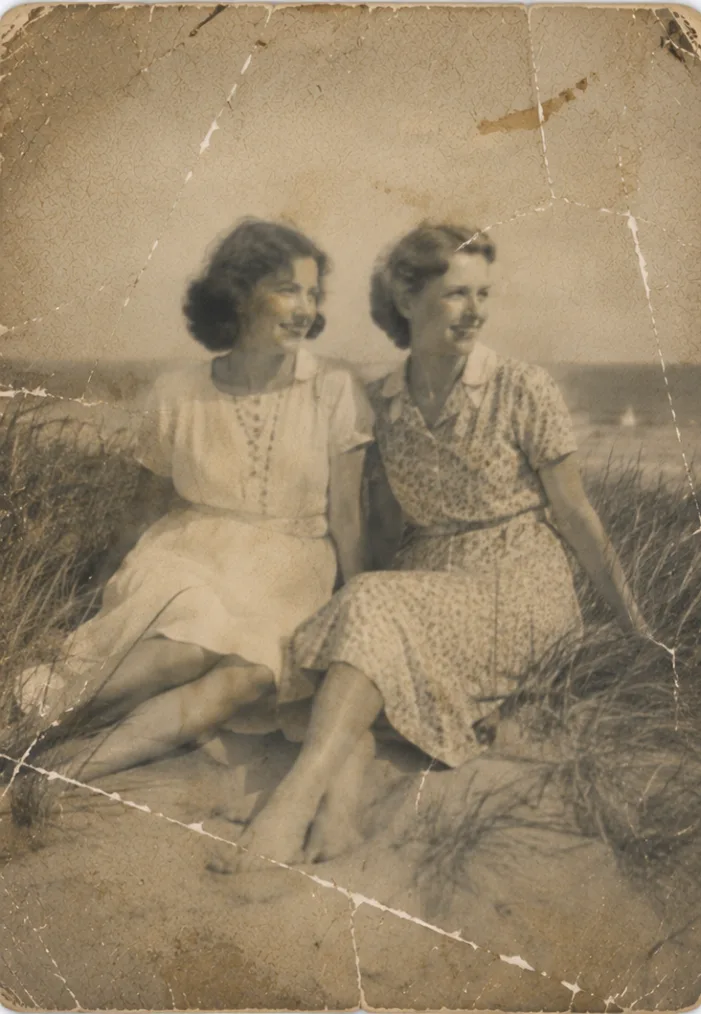 BeforeAfter
Made with AI that only focuses on damage repair (color and sharpness ignored)
Add or correct dates and locations for every scanned photo, so your family history stays organized, searchable, and easy to browse.
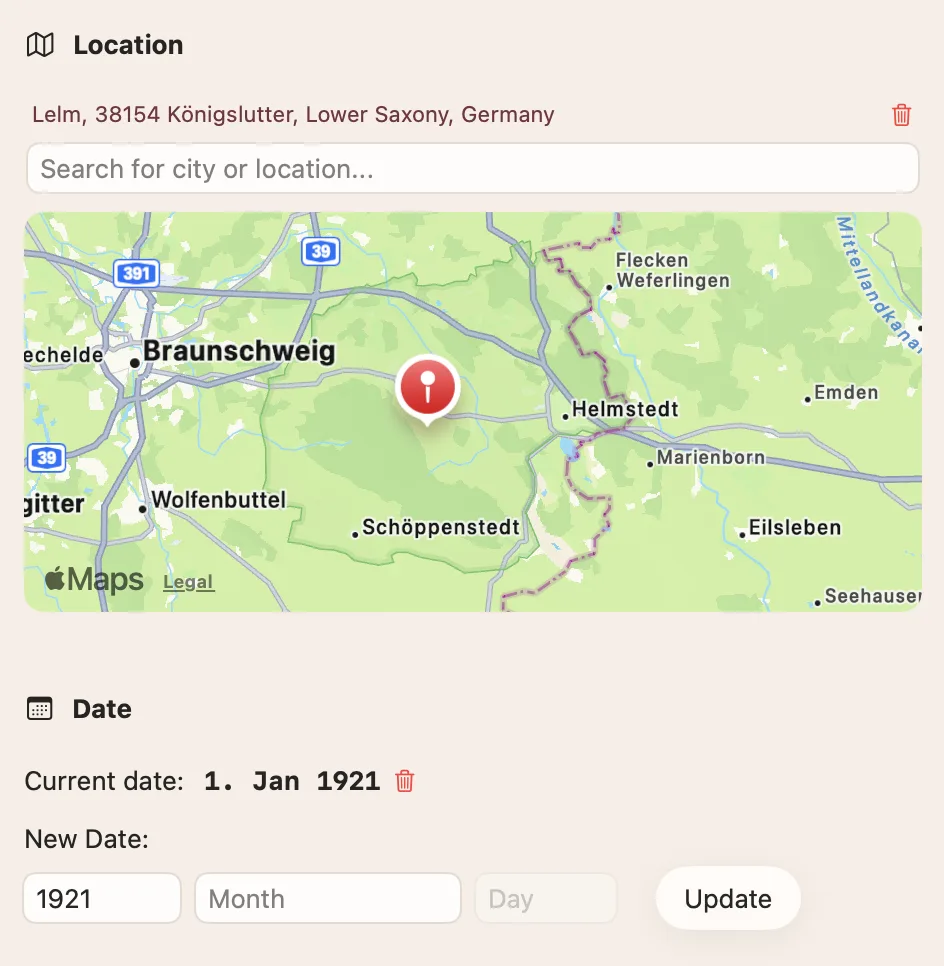
Set the year or exact date for each scanned photo so your family archive stays searchable by time.
Tag where a photo was taken. Locations travel with your export to Apple Photos and keep memories easy to browse.
When your scans are ready, PhotoScanner makes it easy to get them where you need them — into Apple Photos, Google Photos, or as image files on your Mac.
One click is all it takes. PhotoScanner exports your digitized photos directly to Apple Photos on Mac, where they appear in the app's timeline with all your dates and locations — ready to browse, share, and back up.

Sign in with your Google account once, and PhotoScanner uploads your scans automatically to your Google Photos library — organized, searchable, and backed up in the cloud.
Prefer plain files? Export your photos as JPEG, PNG, or TIFF and naming that fits your archive — then save to any folder on your Mac, an external drive, or cloud storage.
Need PhotoScanner for a short digitizing project? Start with the weekly plan. Planning to keep it for good? Get the lifetime license and pay once, use forever.
By continuing, you agree to our Terms and Privacy Policy.
PhotoScanner is built for anyone who wants to preserve printed memories before they fade, bend, tear, or get lost.
Learn how to digitize and organize your family memories.

Compare the current cost of photo scanning services, subscription apps, dedicated scanners, and PhotoScanner for collections of 50, 500, or 1,000 printed photos.
Read more →
Learn how to digitize thousands of printed photos faster with batch scanning, precise crop correction, bulk metadata, and batch export on Mac.
Read more →
See how modern AI image models restore old photos — removing scratches, improving faded colors, sharpening detail, and colorizing black-and-white prints — and what to expect from today's AI photo restoration.
Read more →Everything you need to know before scanning printed photos with your Mac, iPhone, or scanner.
macOS 14.6+ · Intel & Apple Silicon · 15 MB